 REB Works
Less repeat work.
Your week on one screen.
We build small apps, automations and reports in the tools you already pay for.
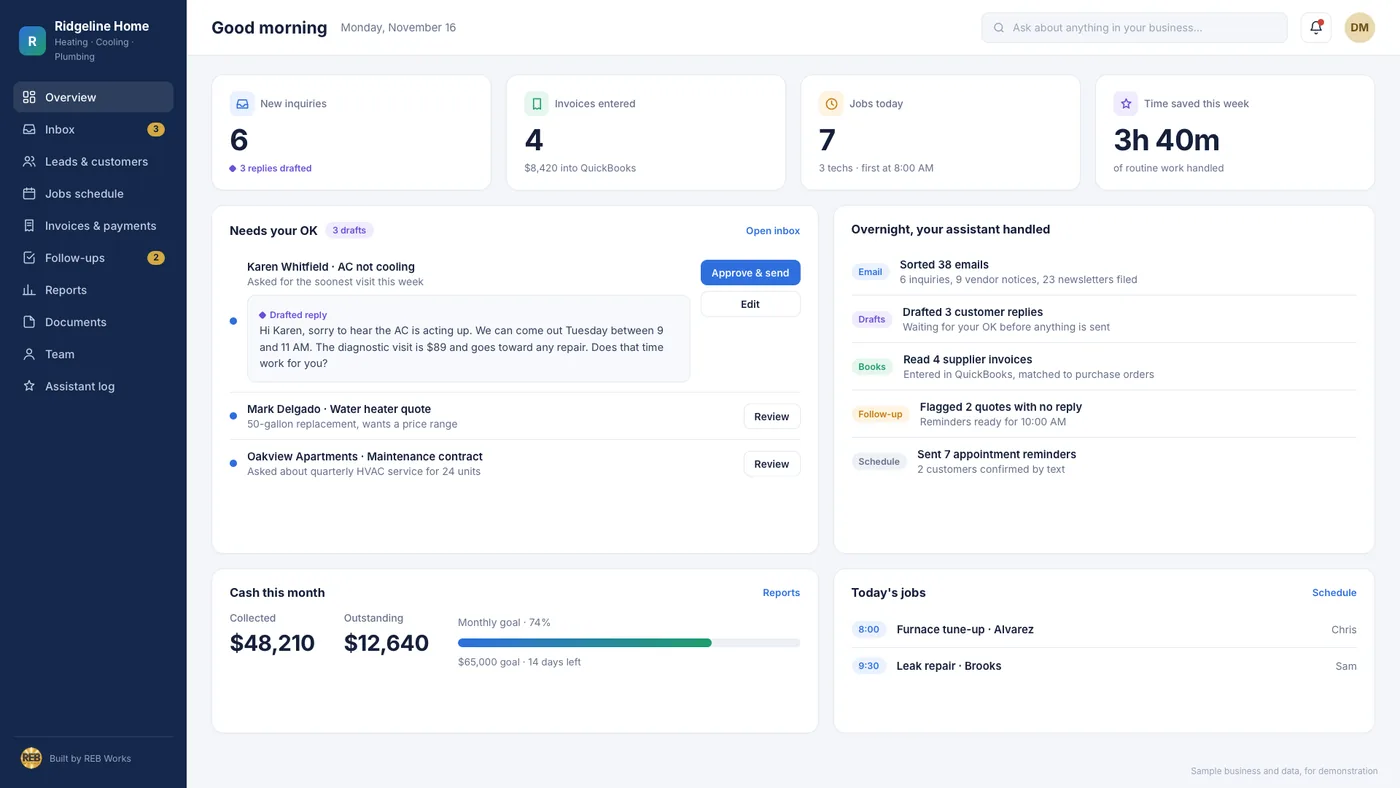
A sample dashboard we built. The business and the numbers are made up.
What you get.
Self-routing forms
Entered once, sent to the right person.
Reminders on schedule
Follow-ups go out without someone remembering.
One-screen reports
Your numbers in one place, kept current.
Runs in your accounts
Built in your name, with a one-page how-to.
Tile pictures are illustrations.
How it helps your business.
Less retyping
Information is entered once, not copied between a form, a spreadsheet and an email.
Fewer loose ends
A quote or a callback is less likely to be forgotten on a busy week.
Numbers you can check
One screen, instead of asking around or opening five files.
Before and after.
What changes in a typical small service business. An example, not a client.
BEFORE
- A request is retyped from email into a spreadsheet
- Follow-ups depend on someone remembering
- The week’s numbers take an evening to pull together
AFTER
- A request is entered once and lands where it’s needed
- Reminders go out on schedule
- One screen shows the week
How it’s priced.
Start with one task. Each step has a fixed price in writing before it starts.
First one
- One repeated task, or one report
- A first working version
- One round of changes after you try it
More
- The next task, app or report
- Quoted one at a time
- A how-to with each
Looked after
- A regular check that it still runs
- Small changes, up to an agreed amount
- A monthly note
Software licenses and usage fees are yours, paid to the provider directly and named in the quote.
How it works.
Three steps, in plain view.
We map it
Someone who does the task today shows us how it goes.
We build it
A first working version. You try it and tell us what to change.
We hand over
A one-page how-to, and it runs in your own accounts.
Common questions.
What do you build it in?
Usually tools you already pay for: Microsoft Power Automate, Power Apps, Excel and Power BI, or Google AppSheet and Apps Script. Our deepest experience is on the Microsoft side. If a task needs a paid add-on, the quote says so first.
Do you use AI?
Where it helps, and only in ways we agree first. Any use of AI to process the contents of your files or messages is agreed with you in writing beforehand.
What if it stops working?
The how-to says what it depends on. On the monthly plan we check it regularly. Otherwise a fix is quoted before any work starts.
Ready for less repeat work?
Start with a straightforward conversation about your business.
Explore all services → Call (540) 718-9268 Building in SharePoint since 2007